
Introduction
Mechanical keyboards in 2026 aren’t just about that satisfying click anymore. We’re talking magnetic switches that read your finger’s intent before you even bottoming out, hot-swappable everything for the modding crowd, and featherweight designs that actually fit in a backpack without breaking your spine.
The market’s flooded with “gaming” boards that are basically the same plastic slab with RGB slapped on. But these three? They went different directions entirely. One’s a tech showcase. Another’s a blank canvas. The last one said “screw desk space” and went ultra-portable.
TL;DR
Can’t read the whole thing? Fair. Here’s what you need to know right now:
| Model | Core Tech | Best For | Price Bracket |
| Keychron Q6 HE | Hall effect keyboard magnetism | Competitive gamers, early adopters | $$$$ (Premium) |
| Glorious GMMK Pro | Gasket mount + hot-swap | Keyboard hobbyists, modders | $$$ (Mid-High) |
| NuPhy Air75 V2 | Low profile mechanical keyboard | Remote workers, minimalists | $$ (Mid) |
The Contenders
Each of these boards solves a problem the others ignore:
- Keychron Q6 HE QMK Wireless: Magnetic switches that let you set actuation points per-key. Yeah, wild.
- Glorious GMMK Pro: The modder’s dream – swap everything, tweak everything, make it yours.
- NuPhy Air75 V2: So thin it’s almost offensive to traditional mech boards. Battery lasts weeks.
They’re not competing. They’re coexisting in totally different niches.
Keychron Q6 HE QMK Wireless
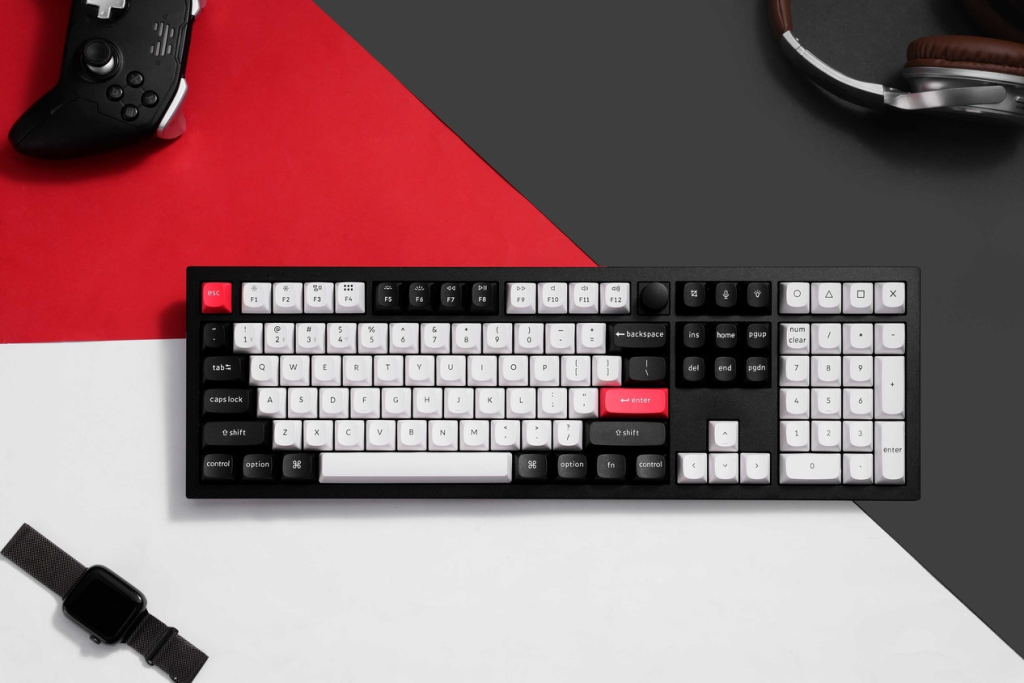
This is what happens when keyboard engineers get too much budget.
What Makes It Different:
The Q6 HE uses Hall-effect (magnetic) switches instead of mechanical contacts. No physical metal touching means virtually infinite lifespan – we’re talking 100+ million actuations. But that’s not the flex.
You can adjust actuation distance per key. Want your WASD to trigger at 0.1mm for instant response but your typing keys at a normal 2mm? Done. Rapid Trigger mode registers both press and release instantly, which competitive gamers abuse for counter-strafing in tac shooters.
The Reality Check:
- Full aluminum CNC chassis makes it weigh like a small anvil
- QMK/VIA programming for macro nerds
- Wireless connectivity (finally) in 2026
- Price scares off casual buyers
Who’s This For?
CS2 players who blame their keyboard for missed shots. Tech enthusiasts who just want the shiniest new thing. People who type the phrase “actuation point” unironically.
Glorious GMMK Pro
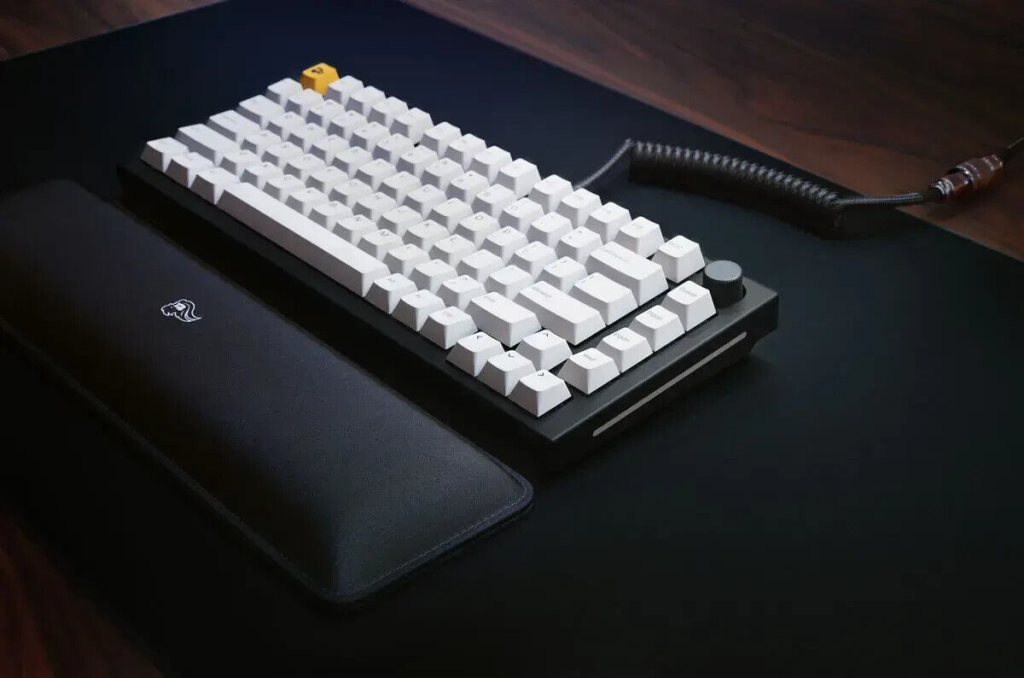
If keyboards had a cosplay community, this would be the con centerpiece.
Why Modders Love It:
- Gasket-mounted design: Plate sits on rubber gaskets instead of being screwed directly to case. Result? Softer, bouncier typing feel that’s become the gold standard
- Hot-swappable switch sockets – try 50 different switches without soldering
- Aluminum chassis that’s actually affordable
- QMK/VIA support means you can program it to order pizza (okay, not literally)
The Ecosystem Advantage:
The GMMK Pro has a cult following. Reddit’s r/MechanicalKeyboards posts 15 mods daily. You’ll find foam guides, stabilizer tuning tutorials, custom PCB fits. It’s basically Linux for keyboards – can you mod it? Absolutely. Will you spend three weekends doing so? Also yes.
Ideal User:
The person who already owns five keyboards “just to try different switches.” Typing enthusiasts who care about sound profiles. Anyone who says “stock is boring.”
NuPhy Air75 V2
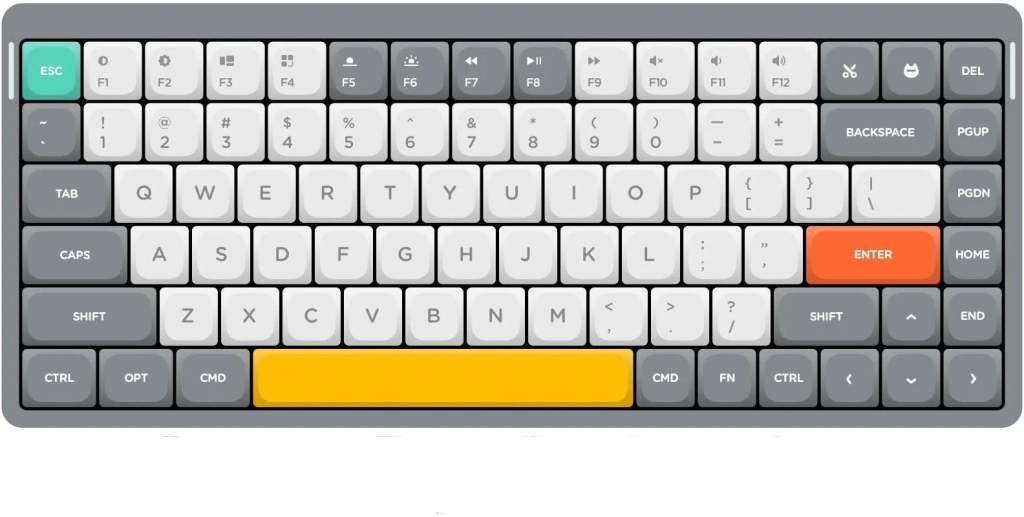
Mechanical keyboards got fat. NuPhy said “nah.”
The Slim Revolution:
At 22mm thick, this thing makes a MacBook keyboard look chunky. But it’s still mechanical – just using Gateron low profile mechanical keyboard switches that keep the satisfying tactile bump without the height.
Travel-Friendly Features:
- Tri-mode connectivity: Bluetooth (3 devices), 2.4GHz wireless, USB-C wired
- 4,000mAh battery lasting 48+ hours with RGB on, weeks with it off
- 75% layout keeps arrow keys and F-row – actually usable for coding
- VIA programmability for custom layers
The Trade-Off:
Low-profile switches feel different. They’re mechanical, but shorter travel means less “thocky” sound. Some people love it. Hardcore Cherry MX fans hate it. It’s polarizing.
Perfect For:
Digital nomads bouncing between cafés. Developers with tiny desks. Anyone who’s ever tried fitting a full-size mech board in a laptop bag and regretted it.
Side-by-Side
| Feature | Keychron Q6 HE | Glorious GMMK Pro | NuPhy Air75 V2 |
| Core Technology | Hall-effect magnetic | Gasket mount, hot-swap | Low-profile mechanical |
| Best For | Competitive gaming | Custom mechanical keyboard projects | Portable productivity |
| Layout | Full-size (100%) | TKL (87%) | 75% compact |
| Connectivity | BT/2.4GHz/Wired | Wired only | BT/2.4GHz/Wired (tri-mode) |
| Switch Type | Magnetic Gateron | Any MX-style (hot-swap) | Gateron low-profile |
| Key Feature | Adjustable actuation | Modular everything | 22mm ultra-thin design |
| Weight | 2.2kg (heavy) | 1.4kg (medium) | 0.6kg (featherweight) |
| Price | ~$240 | ~$180 | ~$140 |
Which Keyboard Aligns With Your Life?
Specs are cool. But which one actually makes sense for your daily grind?
For the Competitive Gamer & Tech Early Adopter
Go with the Keychron Q6 HE.
You need every millisecond. Rapid Trigger means your character moves the instant you lift your finger – no waiting for reset. Adjustable actuation lets you fine-tune sensitivity per game. Yeah, it’s expensive. But if you’re already running a 360Hz monitor and custom mouse, your keyboard shouldn’t be the weak link.
Plus, bragging rights when you explain magnetic switches to your squad.
For the Hobbyist Typist & Aesthetic Architect
Grab the Glorious GMMK Pro.
You don’t just want a good keyboard. You want your keyboard. One with lubed Boba U4Ts, tape-modded PCB, stupidly expensive GMK keycaps, and foam in seven different densities. The GMMK Pro is the “best mechanical keyboard 2026” for people who think stock is a four-letter word.
Warning: You’ll spend more on mods than the base board cost. That’s the hobby.
For the Mobile Professional & Minimalist
Pick the NuPhy Air75 V2.
Your desk has a laptop, coffee, and maybe a plant. That’s it. You work from three different cafés weekly. Backpack space is precious. The Air75 V2 gives you mechanical typing without the bulk. Three-device Bluetooth switching means laptop-iPad-phone without re-pairing.
Developers love the 75% layout because F-keys stay intact for IDE shortcuts.
The Verdict
There’s no single “best mechanical keyboard 2026” winner here. These boards aren’t fighting – they’re serving different masters.
Keychron Q6 HE owns the performance-tech space. If specs excite you, this is your endgame.
Glorious GMMK Pro is for creators who want blank-slate customization. Think of it as LEGO for adults with soldering irons.
NuPhy Air75 V2 solved the “mechanical keyboards are desk anchors” problem. Portability without compromise.
Pick based on your lifestyle, not YouTube reviews. Gamers need different tools than writers. Tech collectors want different things than minimalists.
FAQ
What’s the big deal about Hall-effect or magnetic switches?
Traditional mechanical switches use metal contacts that physically touch to register a keypress. Hall effect keyboard switches use magnets and sensors instead – no physical contact means zero wear. They last basically forever (100M+ presses).
But the real superpower? You can adjust actuation distance digitally. Want keys to trigger at 0.2mm instead of 2mm? Software setting. Gaming features like Rapid Trigger (instant key reset) only work because magnetic sensors can track position continuously, not just on/off.
Wooting pioneered this. Keychron brought it mainstream in 2026.
Is a 75% layout like the NuPhy Air75 V2 a good idea?
Absolutely. Here’s why:
- F-keys stay: Most IDEs need F5 (run), F10 (step), F12 (nav) – you keep all that
- Arrow keys included: Navigating code without arrows is masochism
- Compact footprint: Mouse sits closer, reducing shoulder strain during long sessions
- All via layers: Delete/Home/End/PgUp/PgDn accessible via Fn combos
Most devs switching from full-size to 75% never go back. You save 5+ inches of desk width without losing functionality.
What does “gasket-mounted” mean, and why is it on keyboards like the GMMK Pro?
Imagine your plate (the metal piece holding switches) doesn’t screw directly into the case. Instead, it sits on rubber gaskets – little strips of silicone around the edges.
Why it matters:
- Keys feel softer, more cushioned (less harsh bottom-out)
- Sound becomes deeper, less pingy
- Typing experience feels premium, consistent across all keys
It’s now the standard in unique mechanical keyboards 2026 enthusiasts actually care about. Tray-mount (old method) feels harsh by comparison. Gasket mount won because once you feel it, you can’t unfeel it.
About the Author