
TL;DR
Short on time? Here’s the express lane version:
- Audit Your Needs – Safety upgrade? Entertainment? Maintenance tracker? Start with actual problems, not “cool factor”
- Set a Budget – Know what tier you’re buying in: essentials under $50, smart upgrades $50-$200, or premium $200+
- Check Compatibility – Year, make, model matter. So does your phone’s OS and available power sources
- Read Reviews – Professional reviews + user complaints = reality check
- Prioritize Safety & Quality – Certifications matter. Cheap knockoffs can literally catch fire
Introduction
Your car is likely your second biggest investment, right after housing or that dubious diploma. Yet most of us endure a bare-bones driving experience. Strategic gadgets can overhaul this, targeting the specific drudgery of your commute. Think past dealer-upsell junk. A truly adaptive cruise control system, for instance, doesn’t just maintain speed – it physically reduces the cognitive fatigue of stop-and-go traffic, proven to lower stress markers. The aim isn’t a tech showcase; it’s about curation. A well-chosen dashboard scanner can flag a minor misfire before it strands you, while a proper phone mount eliminates fumbling at intersections. It’s the difference between merely operating a vehicle and having the machine work for you, transforming dead time into something marginally more tolerable, or even engaged. Skip the flashy gimmicks. Focus on tools that address your route’s actual pain points – that’s where the real value unlocks.
Step 1: Audit Your Needs – What Problem Are You Solving?
Grabbing a gadget because it looks sick online is a fast track to a drawer graveyard. Cut through the noise: what actually bugs you behind the wheel?
For the Safety-Conscious Driver
If near-misses and parking scrapes spike your anxiety, target tools that offer real intervention.
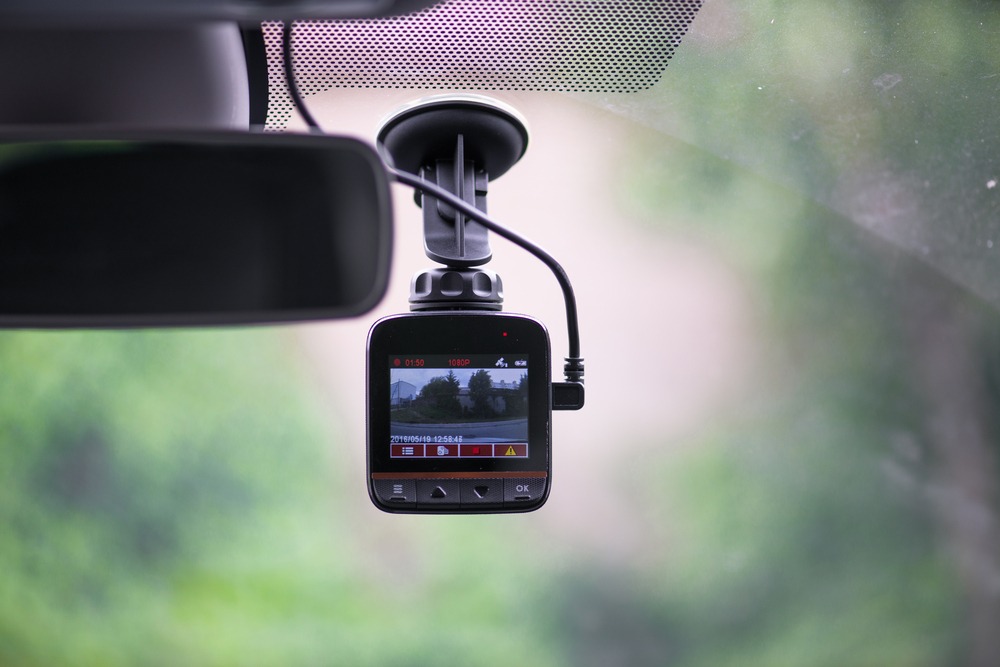
- Dash cams (front and rear) provide irrefutable evidence, streamlining insurance battles.
- Blind-spot aids are essential, whether simple mirror kits or ultrasonic sensors.
- Tire pressure monitoring systems (TPMS) give constant readouts, catching slow leaks before they become blowouts.
- Emergency tools like glass breakers and jump starters are for the scenario you hope never happens. Don’t cheap out.
For the Commuter & Road-Tripper
Endurance driving relies on mitigating fatigue and maintaining link.
- Wireless chargers need robust mounts; a wobbly holder is worse than useless.
- Bluetooth adapters breathe new life into older cars, but audio lag can ruin podcasts.
- Lumbar support isn’t just comfort – it’s about preventing stiffness on hour three.
- Portable coolers are fantastic, but consider your vehicle’s power outlet capacity first.
For the Parent or Pet Owner
This is logistics, not luxury. Your goal is containment and clean-up.
- Backseat organizers must withstand spills and kicks. Tablet holders keep screens secure.
- Sunshades protect sensitive skin and eyes during long, stationary waits.
- Pet barriers are a safety must. Couple them with waterproof seat covers.
- A portable vacuum designed for car upholstery is a weekly sanity saver.
For the Tech Enthusiast & DIYer
You want granital data and deep vehicle integration. Straight talk: this path often voids warranties.
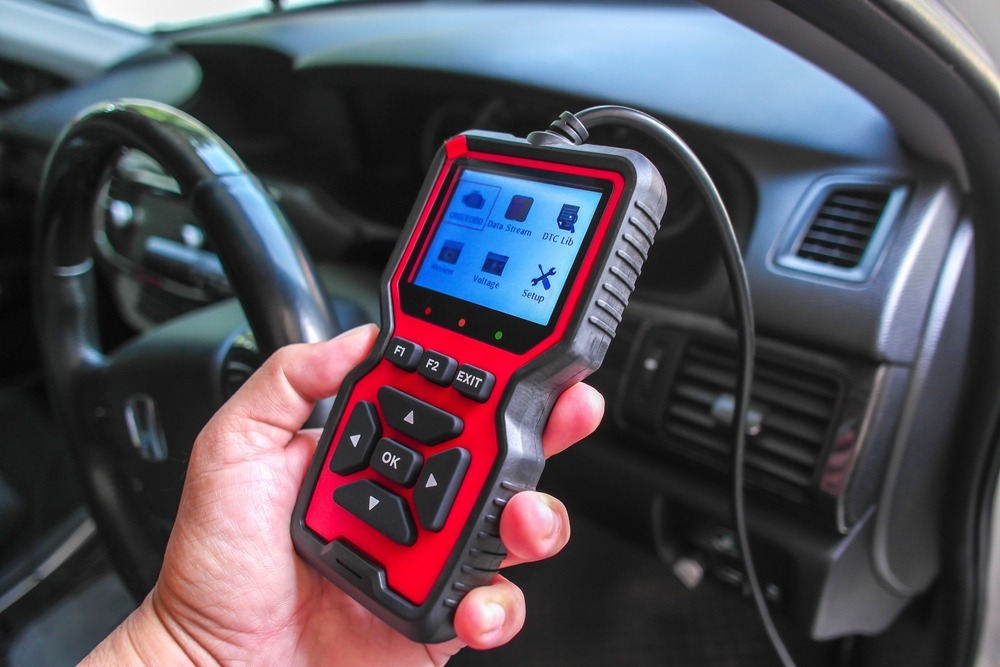
A good OBD2 scanner delivers real-time sensor data—the live feed is everything for actual diagnostics. Skip the code readers.
Head-up displays project info, but daytime visibility is a crapshoot. Don’t trust marketing shots; research the panel.
Performance tools log 0-60 times and more. Honest question: will you actually tune, or just obsess over numbers?
Smart dashboards promise integration but usually cause distraction. The real win is selective customization. Avoid turning your cabin into a bloated app launcher.
Step 2: Set a Realistic Budget & Understand Value
Not all best car gadgets require a second mortgage. Here’s what different price tiers get you:
The Budget Tier: Essentials Under $50
Expect basics done decently:
- Simple phone mounts
- Basic USB chargers
- Seat organizers
- Air fresheners with holders
These solve immediate problems without breaking the bank. Just don’t expect premium materials or advanced features.
The Mid-Range Tier: Smart Upgrades ($50 – $200)
Sweet spot for most drivers:
- Quality dash cams with 1080p or better
- Wireless chargers with auto-grip
- Bluetooth FM transmitters
- OBD2 scanners with smartphone apps
Better build quality, warranties, and customer support make these worthwhile.
The Premium Tier: Long-Term Investments ($200+)
High-end tech with staying power:
- 4K dash cams with cloud storage
- Professional-grade GPS trackers
- Advanced HUD systems
- High-capacity portable power stations
You’re paying for durability, features, and brand reliability.
Hidden Costs: Installation, Subscriptions, and Maintenance
That $99 dash cam might need:
- Professional hardwiring ($50-$150)
- MicroSD cards ($20-$50 for quality ones)
- Cloud storage subscriptions ($5-$15/month)
Factor these in before checkout.
Step 3: The Compatibility Checks
Nothing’s worse than unboxing your shiny new gadget only to discover it’s incompatible with your 2008 Honda.
Vehicle Compatibility: Year, Make, Model, and Trim
- Older cars (pre-2015) often lack USB ports or Bluetooth
- OBD2 scanners need the correct protocol
- Some gadgets require specific voltage outputs
Pro move: Check your owner’s manual for power specs and available ports before buying anything.
Tech Compatibility: Smartphone OS, Bluetooth Versions, App Requirements
| Gadget Type | iOS Requirement | Android Requirement | Bluetooth Version |
| Wireless Chargers | iPhone 8+ | Qi-enabled phones | N/A |
| OBD2 Scanners | iOS 12+ (typically) | Android 5.0+ | 4.0+ |
| Dash Cam Apps | iOS 13+ | Android 6.0+ | 4.2+ |
| Audio Adapters | Any with Bluetooth | Any with Bluetooth | 5.0 for best quality |
Power Source: 12V Socket (Cigarette Lighter), USB, Hardwiring, or Battery?
Different gadgets draw power differently:
- 12V socket – Universal but limits port availability
- USB (from car) – Convenient but often low amperage
- Hardwired – Cleanest install, requires expertise
- Battery-powered – Portable but needs recharging
Step 4: Research
First, find reliable reviews from trustworthy sources. Skip past the marketing. Professional spec sheets are fine, but long-term user feedback shows how something holds up over time. Check YouTube for unboxing videos and real-world tests—it helps to watch a real person use it. For honest opinions, visit Reddit communities like r/cars. Enthusiasts there point out every unexpected flaw.
On retailer sites, filter to see only verified purchases. Don’t just read the five-star or one-star ratings. Those middle-ground, three-star reviews often give a balanced view of pros and cons. They cover both strengths and weaknesses in a single read.
Finally, consider a source like Wirecutter. Their process involves standardized testing from professional labs. This methodical approach to comparison is genuinely effective for cutting through hype. It gives you a clear view of real performance based on consistent checks.
Smart gadget shopping means cutting through the noise. Focus on what actually changes your experience. Dense spec sheets? Ignore them.
For dash cams, key specs are simple: a focus on 1080p resolution at minimum, a wide field of view, and decent night vision. If it can’t see clearly in the dark, it’s pointless. Phone mounts need a killer grip and truly one-handed operation – if it’s a fight at a red light, forget it. With chargers, the text of the specs is wattage and port count; enough power to fast-charge your stuff, nothing less. For OBD2 scanners, protocol support is critical, and how often the company pushes updates. Stale software won’t read newer cars.
This targeted focus before buying stops buyer’s remorse cold. You get what you need, skip the rest.
Brand reputation and warranty matter a lot. Established brands might cost more now but save money later. Look for at least a one-year warranty, plus responsive customer service. Regular firmware updates and available replacement parts are good signs. Generic Amazon brands come and go, while names like BlackVue or Anker stick around. In a shifting landscape, this can yield better long-term value.
Step 5: Prioritizing Safety and Installation
Safety First: Certifications and Non-Distraction Design
Check for these marks of legitimacy:
- FCC certification (electromagnetic compatibility)
- CE marking (European safety standards)
- DOT/SAE compliance for lighting products
Avoid gadgets that block your view, require constant interaction, or distract with flashy lights.
DIY Installation vs. Professional Help – What You Need to Know
DIY-friendly gadgets:
- Suction cup dash cams
- Plug-in chargers
- Clip-on sun shades
Probably need a pro:
- Hardwired dash cams
- Backup camera installations
- Advanced security systems
Cable Management and Clean Setup Tips
Rats’ nests of cables scream “amateur hour.” Fix it:
- Use adhesive cable clips along door frames and dashboards
- Route cables under floor mats and trim
- Invest in right-angle adapters for tight spaces
- Velcro ties beat zip ties for future adjustments
Conclusion
Want to actually improve your car? Solve real problems. Skip gimmicks. A great gadget fixes a specific annoyance without adding a new one.
Start by identifying your biggest pain point. Is it messy cabin organization? Poor navigation? Pinpoint that first.
Next, set a realistic budget. Then, verify compatibility with your model – this step saves major frustration. Finally, seek out human reviews from long-term users, not sponsored previews. Real wear-and-tear feedback is everything.
FAQ
What is the most useful gadget for a car?
Depends who you ask, but dash cams are a no-brainer. For about a hundred bucks, they’re eyewitnesses that don’t forget. They end insurance disputes fast, nail hit-and-runs, and deliver serious peace of mind – you just set it and forget it. Other essentials? Solid phone mounts; fumbling with a phone in your lap is a dangerous distraction. And an OBD2 scanner pays for itself. Plug it into that port under your dash, and it reads your car’s computer, flagging minor issues before they become scrapyard visits.
Are cheap car gadgets from online marketplaces reliable?
Text reliability for cheap car gadgets from online marketplaces? It’s a gamble. Mostly, you lose. Those no-name products flooding Amazon and AliExpress? They frequently skip rigorous quality control and proper certifications. Customer service is a ghost town.
But here’s the nuance: “budget” doesn’t always mean junk. Seek out the budget lines from proven brands like Anker or RAVPower. Their cheaper stuff often delivers without major flaws.
How can I tell if a gadget will work with my car’s system?
First, check the product’s listed compatible years and models. Your car might be excluded.
Next, confirm your car’s power sources. Does it have a standard 12V socket, USB-A, or newer USB-C ports? What’s free?
For smarter devices, dig into your car’s tech specs. This means verifying the OBD2 protocol type, Bluetooth version, or the operating system for touchscreen integrations.
If the specs are ambiguous, don’t gamble. Contact the manufacturer directly or ask in car-specific forums where owners have tested it. Remember, your 2012 Camry owner’s manual is a buried treasure for these technical details.
About the Author