
TL;DR
Can’t read 1000 words? Here’s your cheat sheet:
- Competitive gamer? → 360Hz+ OLED with 1440p resolution. Forget 4K at this pace.
- Single-player/RPG enthusiast? → 4K QD-OLED with 175Hz, HDR 1400 certification.
- Video editor/colorist? → 4K OLED with hardware calibration and ΔE < 1.
- Coder/analyst? → 27″ 4K IPS with USB-C (96W+), blue light filtering.
- Budget-conscious but want quality? → Mini-LED IPS with 1152+ zones. Skip the OLED anxiety.
- Future-proofing maniac? → DP 2.1 support is non-negotiable for 4K 240Hz+ combos.
The Panel Technology Revolution
The OLED Evolution: MLA, QD-OLED, and Beyond
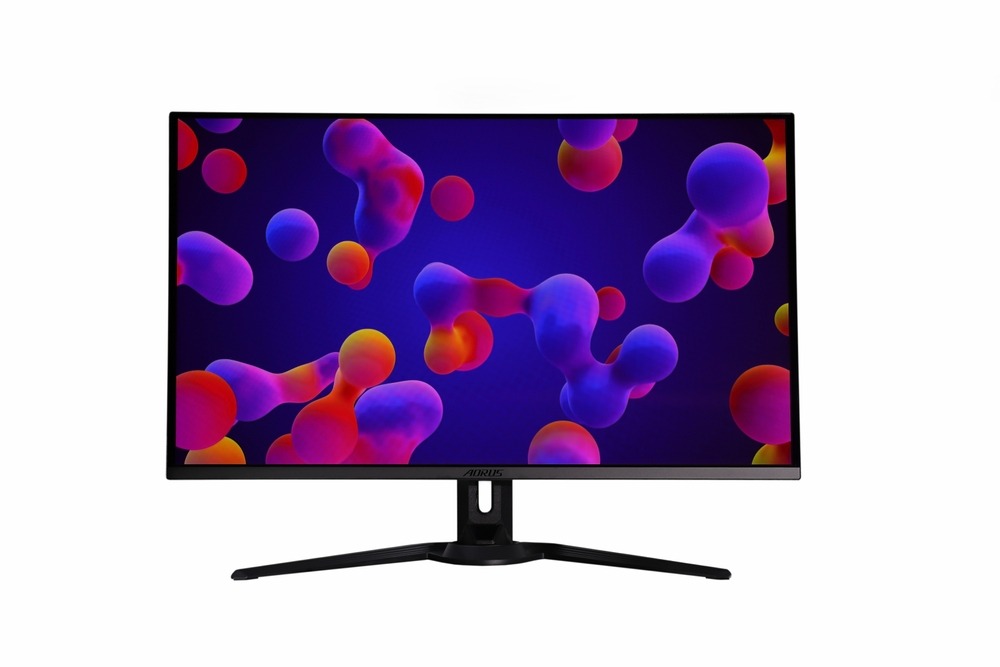
OLED monitor 2026 variants are wild. We’re not talking about your 2023 burn-in nightmares anymore.
MLA (Micro Lens Array) tech stacks micro lenses on OLED pixels, boosting brightness to 1300+ nits without torching power efficiency. Games look nuclear in HDR. QD-OLED throws quantum dots into the mix for wider color gamut — think 99% DCI-P3 without sweating.
Third-gen OLED panels now include:
- Improved heat dissipation (less wear on pixels)
- Pixel refresh cycles that kick in without you noticing
- Warranties covering burn-in for 3+ years
Is MicroLED Finally Consumer-Ready in 2026?
Short answer: Sort of. Long answer: It’s complicated.
MicroLED delivers perfect blacks like OLED but cranks brightness to 4000+ nits with zero burn-in risk. The catch? Panels under 32″ start around $3,500. Samsung’s got a 27″ model that doesn’t require a second mortgage, but you’re still paying luxury car money.
Real talk: Unless you’re a pro esports org or Hollywood colorist, MicroLED is flex territory right now. Check back in 2027 when production scales up.
The Unexpected Comeback of Advanced IPS & VA
Mini-LED backlighting turned LCD panels into legitimate contenders again. Modern IPS displays pack 2304+ dimming zones — enough to fake OLED contrast in most scenarios. VA panels offer even deeper blacks naturally.
Why go this route?
- Zero burn-in paranoia (leave Discord open for 12 hours, who cares)
- Lower prices ($600-900 for premium mini-LED vs. $1200+ for OLED)
- Better text clarity for productivity (OLED’s subpixel layout can look fuzzy)
Panel Technology Showdown: A 2026 Comparison Table
| Tech | Contrast | Peak Brightness | Burn-in Risk | Typical Price | Best For |
| QD-OLED | Infinite | 1300 nits | Low (3yr warranty) | $1200-$1800 | Gaming monitor 2026 champ |
| MLA OLED | Infinite | 1400 nits | Low | $1400-$2000 | HDR content, single-player |
| MicroLED | Infinite | 4000+ nits | None | $3500+ | Flexing rights |
| Mini-LED IPS | 5000:1 | 1600 nits | None | $700-$1100 | Productivity + gaming |
| Mini-LED VA | 8000:1 | 1800 nits | None | $650-$1000 | Budget HDR gaming |
Performance Specs Decoded
Is 8K the New 4K?
Nope. Not even close.
8K monitors exist, sure. But you’d need:
- An RTX 5090 Ti or higher just to hit 60fps in AAA games
- A screen bigger than 40″ to actually see the difference
- Content that… doesn’t really exist outside YouTube demos
Smart move: Stick with 4K for screens 27″-32″. Drop to 1440p if you’re chasing 360Hz+. Your GPU will thank you.
The Refresh Rate Race
Real numbers from testing:
- 240Hz → Smooth enough for 99% of gamers, including Masters-tier ranked
- 360Hz → Noticeable edge in twitchy shooters (CS2, Valorant)
- 480Hz → Placebo territory unless you’re literally top 500 in your game
Console players? Your PS5 and Xbox cap at 120Hz anyway. Save your money.
HDR in 2026
Forget “HDR10 support” stickers. They mean nothing.
VESA DisplayHDR 1400 = Peak brightness of 1400 nits with proper local dimming. Games pop.
True Black 600 = 600 nits peak on OLED with those infinite contrast ratios. Superior for dark rooms.
Anything below DisplayHDR 600 is marketing fluff. You’re basically getting fancy SDR.
Adaptive Sync
Here’s where it gets messy:
- G-Sync Ultimate → NVIDIA-certified, premium panels, works flawlessly with RTX cards
- FreeSync Premium Pro → AMD’s equivalent, also works with NVIDIA now via DisplayPort VRR
- HDMI 2.1 VRR → Universal standard for consoles
Bottom line: Any modern gaming monitor 2026 supports VRR. Don’t stress the brand name.
Design, Connectivity & Smart Features
Curved, Flat, Ultrawide, or Dual-Height?

- Flat 16:9 → Default choice. Works for everything.
- Curved 1000R → Wraps your peripheral vision. Sick for racing sims and single-player RPGs.
- Ultrawide 21:9 → Immersive as hell but cuts FPS by 30% vs. standard. Productivity beast though.
- Dual 16:9 stack → For traders and streamers who need vertical real estate.
Why DP 2.1 is a Game-Changer
DisplayPort 2.1 offers 80 Gbps bandwidth — enough for:
- 4K @ 240Hz with 10-bit color
- 8K @ 120Hz (when you upgrade that GPU in 2028)
- Full RGB without chroma subsampling hacks
If your best monitor 2026 candidate lacks DP 2.1, it’s already outdated.
USB-C Docking with 140W Power Delivery
Laptop users, this is your jam. One cable handles:
- Video signal (4K @ 60Hz minimum)
- 140W charging (enough for gaming laptops)
- USB peripheral passthrough
Clean desk, zero cable chaos. Just plug in and go.
Are “Smart Monitors” with Android TV Worth It?
Honestly? Meh.
Built-in streaming apps sound convenient until they lag two years behind your Fire Stick’s updates. Plus, smart TVs are notorious for injecting ads.
Better play: Buy a dumb monitor and attach a $40 streaming stick if you care.
Health, Ergonomics & Sustainability
Beyond Flicker-Free: The New Eye Comfort Certifications
Modern panels fight eye strain with:
- DC dimming (no PWM flicker at low brightness)
- Ambient light sensors that auto-adjust color temp
- Circadian rhythm modes that shift blue light based on time
TÜV Rheinland Eye Comfort certification is worth checking. Your eyeballs aren’t replaceable.
Ergonomic Stands vs. Monitor Arms: A 2026 Perspective
Factory stands improved massively:
- Full height/tilt/swivel/pivot on $600+ monitors
- Cable routing channels
- Portrait mode for coding
But arms still win for:
- Multi-monitor setups (clean desk space)
- Frequent repositioning (standing desk users)
- Heavy panels (OLEDs are chunky)
Energy Efficiency: Reading the New TCO Labels
TCO Certified Edge labels show real-world power consumption. OLEDs sip power in dark scenes but spike in bright content. IPS panels stay consistent.
Offices running 50+ monitors should care. Home users? Adds maybe $3/month to your bill.
Matching the Monitor to Your Use-Case
The Ultimate 2026 Gaming Monitor Configuration
Here’s the formula:
- Panel: QD-OLED or high-end mini-LED
- Resolution: 1440p for 360Hz esports / 4K for eye candy
- Refresh: 240Hz minimum, 360Hz if sweaty
- Sync tech: G-Sync Ultimate or FreeSync Premium Pro
- HDR: VESA 1000+ or True Black 500+
This combo handles everything from ranked grind to screenshot mode in Cyberpunk.
Color Accuracy & Workflow Features
Monitor for work 2026 in creative fields needs:
- Factory calibration with ΔE < 2 (< 1 if you’re paranoid)
- Hardware LUT support for profile switching
- 4K resolution minimum (1440p looks rough when zoomed in)
- USB-C 96W+ for laptop docking
ASUS ProArt and BenQ SW series nail this. Budget? Check Gigabyte M-series.
For Coders, Analysts, and Multitaskers
Text clarity beats everything else:
- 27″ 4K (163 PPI = crisp AF)
- IPS panel (best viewing angles for long days)
- 75Hz+ (scrolling feels smoother than 60Hz)
- Built-in KVM switch (control PC + laptop with one keyboard)
LG’s UltraFine and Dell UltraSharp lines dominate here.
The Hybrid Work-from-Home Setup
Balance productivity features with Netflix binges:
- 32″ 4K with mini-LED backlight
- USB-C docking for work laptop
- 144Hz for casual gaming nights
- Decent speakers (5W+ per channel) to skip external setup
FAQ
Should I still be worried about OLED burn-in in 2026?
Way less than before. Third-gen panels have pixel shift tech, automated refresh cycles, and 3-year burn-in warranties. Static elements (taskbars, UI) can still cause issues after 10,000+ hours, but you’d need to seriously abuse it. Use a screensaver. You’ll be fine.
Is a 27″ 8K monitor ridiculous, or is there a use case?
Pretty ridiculous. At 27″, you can’t spot the difference between 4K and 8K beyond 18 inches from the screen. Medical imaging professionals might care. Gamers and editors? Total waste. Go 4K and spend savings on better color accuracy.
What is the single most important spec for reducing eye strain during long work sessions?
Flicker-free DC dimming + auto brightness sensor combo. Fixed 100% brightness nukes your retinas. PWM flicker at low brightness causes headaches. Get both right and your eyes stay happy through 12-hour coding marathons.
About the Author