
Finding top tablets for reading and media is about matching screen tech, battery life, and ecosystem to your actual habits. Our guide will help you with real-world picks that actually deliver.
TL;DR
- For premium streaming junkies: iPad Pro 13″ (M5) delivers the best display you can buy, period. OLED glory for HDR movies, though your wallet will weep.
- For Android fans who do it all: Samsung Galaxy Tab S10 FE+ offers a massive screen, included stylus, and actual productivity chops without the Apple tax.
- For book nerds: Kindle Paperwhite (2024) remains undefeated. Waterproof, 12-week battery, and the sharpest E Ink display for pure reading bliss.
The 2025 Tablet Choice
Tablets sit in a weird spot. Too big for your pocket, not quite a laptop. But manufacturers finally figured out their killer apps: premium entertainment and distraction-free reading.
Modern tablets for books and movies split into two camps:
- Traditional tablets (LCD/OLED): Vibrant colors, streaming apps, gaming, multitasking. Battery measured in hours.
- E Ink readers: Paper-like screens, month-long battery, zero glare. Limited to reading and audiobooks.
Key differentiators are display quality (OLED vs E Ink), battery endurance, and ecosystem (Apple vs Android vs Amazon). Actual comfort during a weekend binge session is also a thing to consider.
Your Buying Guide for Reading and Media
Traditional Tablet vs. E Ink Reader: The Fundamental Choice
This is ground zero for your decision.
Traditional Tablets (LCD/OLED):
- Gorgeous color displays are perfect for Netflix and YouTube
- Run full app stores with games, social media, and productivity tools
- Backlit screens can strain eyes during marathon reading sessions
- Battery lasts 8-12 hours of active use
E Ink Readers:
- Looks like actual paper
- Battery measured in weeks, not hours
- Strictly for books, magazines, and PDFs
- Black-and-white only (color E Ink exists but isn’t mainstream yet)
E Ink tablet 2025 models win hands down for Reading novels in bed before sleep.
Key Specs for the Perfect Media Companion
Screen Tech:
- OLED = infinite contrast, perfect blacks, stunning HDR for movies
- LCD = cheaper, still solid for casual viewing
- E Ink = paper simulation, zero glare, battery sips power
Size & Portability:
- 8 inches = one-handed reading, easy travel
- 11 inches = sweet spot for mixed use
- 13 inches = laptop replacement territory
Battery Life:
E Ink readers laugh at your daily charging ritual. Traditional tablets need juice every day or two with heavy use.
Ecosystem:
- Apple = seamless iCloud sync, Apple TV+, best app optimization
- Android = flexibility, Google Play Books, better file management
- Amazon = Kindle Unlimited integration, locked ecosystem
Top Tablet Picks for Reading and Media in 2025
Apple iPad Pro (13-inch, M5)
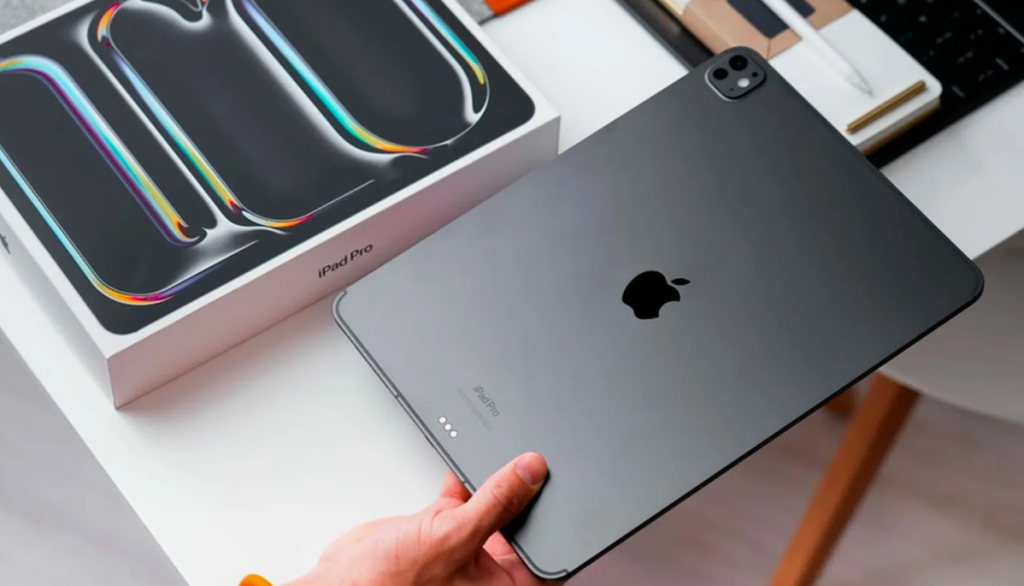
This is overkill for most people. But if you want the absolute best tablet for media consumption, nothing touches it.
Specs that matter:
- 13-inch Tandem OLED display (120Hz, 1600 nits peak brightness)
- Apple M5 chip (honestly overpowered for streaming)
- Quad-speaker system with surprisingly spacious audio
- First OLED iPad sets a new benchmark for portable cinema
Real talk: This thing is expensive. You’re paying for the best HDR experience outside an actual TV, plus the power to edit 4K video or run desktop-class apps.
Best for: Photo/video pros, gamers who want PC-quality graphics, and anyone with money urning a hole in their pocket.
Samsung Galaxy Tab S10 FE+
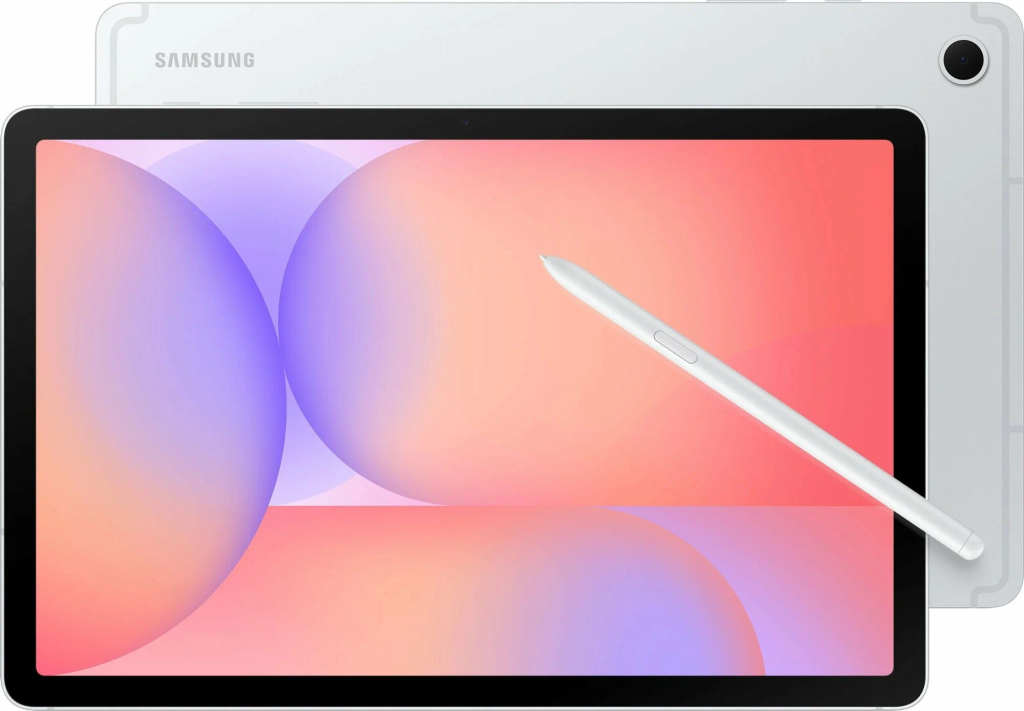
The best Android tablet for reading and media without breaking the bank.
Why it works:
- Large, sharp display perfect for split-screen multitasking
- S Pen stylus included (actual value add for notes and sketches)
- Samsung DeX turns it into a pseudo-laptop
- Excellent battery life outlasts most competitors
- Significantly cheaper than the iPad Air with similar features
The catch: Missing some flagship Galaxy AI features. The screen isn’t OLED.
Best for: Android users who want one device for entertainment, productivity, and casual art. Students love this thing.
Amazon Kindle Paperwhite (2024, 12th Gen)

If you read books, this is your answer.
What makes it special:
- 7-inch, 300 ppi glare-free E Ink screen (sharper than most phones)
- Waterproof design (bath reading is legit now)
- Up to 12 weeks of battery life on a single charge
- Faster page turns than the previous generation
- Front-lit screen automatically adjusts to lighting
Limitations: It’s a reading tablet, full stop. No Netflix, no Instagram, no browser worth mentioning.
Best for: Bookworms who finish 2-3 novels monthly, beach/pool readers, and anyone tired of phone notification hell.
Comparison & Final Verdict
| Feature | iPad Pro 13″ | Galaxy Tab S10 FE+ | Kindle Paperwhite |
| Best For | Premium media/creative work | Balanced media & productivity | Pure reading focus |
| Display Type | Tandem OLED | LCD (large) | E Ink glare-free |
| Media Rating | 10/10 (best) | 8/10 (excellent) | 2/10 (not designed for it) |
| Reading Rating | 6/10 (eye strain risk) | 7/10 (solid) | 10/10 (purpose-built) |
| Price | $$$$$ | $$$ | $ |
Match the tool to your habits. If you’re streaming more than reading, traditional tablets win. Book-heavy users should grab E Ink without hesitation. Samsung’s value is the top for mixed usage.
FAQ
Is a traditional tablet or a dedicated E Ink reader better for my eyes?
E Ink wins decisively for extended reading. The screen reflects ambient light like paper—no backlight blasting your retinas. Traditional tablets use backlights that can cause strain during long sessions, especially at night. But OLED tablets with dark mode and reduced blue light settings work fine for casual article reading. For serious bookworms logging 2+ hours daily? E Ink isn’t optional.
What’s the real-world battery life difference between an iPad and a Kindle?
Massive. iPad Pro lasts 8-10 hours of active streaming. A Kindle Paperwhite goes 12 weeks, reading 30 minutes daily. E Ink only uses power when changing screens, not displaying static text. You’ll charge an iPad every 1-2 days with heavy use. A Kindle requires charging once a month.
I mostly read library books and comics. Which type of tablet is best?
Traditional tablets dominate here. Comics need color, and E Ink color displays aren’t mature yet. Tablet for books and movies flexibility means one device handles both. Go 10-11 inch size for comics.
Are cheaper Amazon Fire tablets good enough for watching videos and reading?
Fire tablets run Amazon’s forked Android with a limited app selection. They are great for Prime Video, Kindle books, and basic browsing. But expect slower performance! Dimmer screens and fewer apps than iPad or Samsung tablets are extra issues.
About the Author